Handyman
Handyman work is many small jobs. Price common tasks once, add a trip charge, and when the customer asks for more on the day, put it on a change order they sign from their phone.
From request to review
- Request. A customer books “Mount a TV” online, or calls with a list. See Requests and leads.
- Estimate. Add the trip charge and each task, or labor by the hour for open-ended work. Add a custom line for anything not on your list.
- Approve and pay. The customer signs online. Small jobs often take no deposit.
- Schedule. Book a half-day slot and assign who is going. Crew hours show if they have room that day.
- On site. On my way, Started, a photo of the finished work, Work complete. Extra work the customer asks for goes on a change order.
- Invoice. Send invoice: approved change orders are added to the total. Or Mark as paid.
- Review. When it is paid, the customer is asked for a verified review.
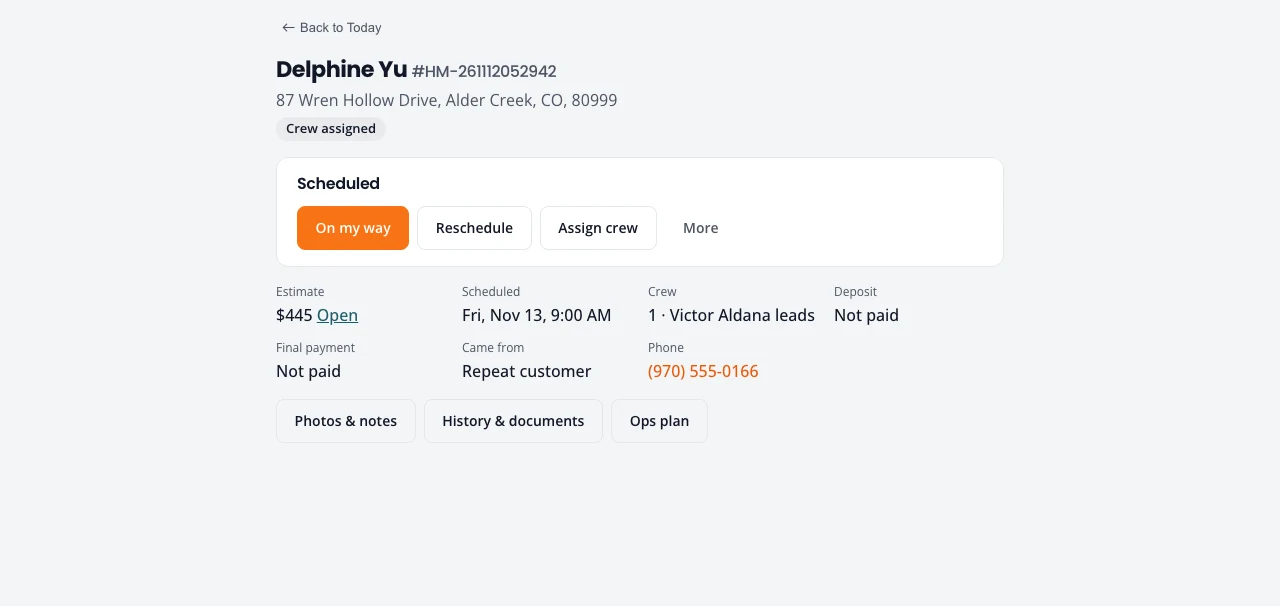
What handyman turns on
- A starter price list of common tasks and hourly labor.
- Job numbers that start with HM.
Prices by the task or the hour
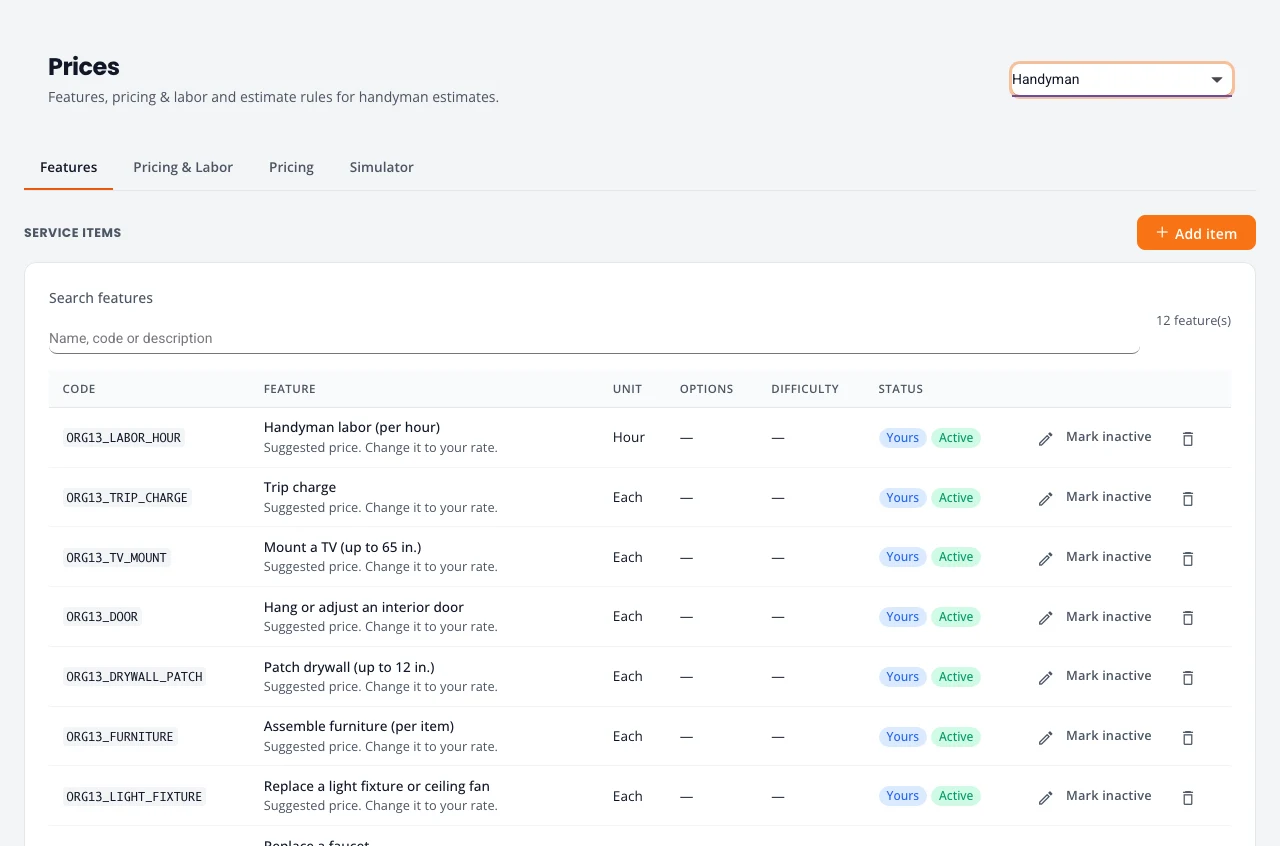
The starter list: handyman labor by the hour, a trip charge, mounting a TV, hanging or adjusting a door, patching drywall, assembling furniture, replacing a light fixture or fan, a faucet, re-caulking a tub, hanging shelves, fence or gate repair, and smoke or CO detectors. Set them to your rates on Prices, and add the tasks you do most.
Change orders
Once the estimate is accepted, and until the job is invoiced, you can add work with a change order:
- On the job page, open More (or the job’s row menu on Jobs), choose Change orders, and press New change order.
- Add the extra items and their prices, and send it.
- The customer signs it on their phone like an estimate.
A signed change order is added to the job’s total and to the final invoice. Change orders work the same for every kind of work.
Stuck on something? Email support@northforktrades.com and tell us what you were trying to do.